Thousands of people give your survey their time. Your client bets a decision on what they said. One broken filter wastes both. We built SurveyTester so that no survey goes to field untested.
To respondents, it says: your time counts. To the client, it says: these numbers are right. Survey QA is how that promise is kept. It is also the step that gets squeezed whenever the deadline does not move.
Testers take the main path. Respondents take all of them.
A tester plays one plausible respondent, again and again. The filter that breaks sits on the route nobody played.
Re-testing is where the hours go.
Every fix needs a re-check, every language its own pass, every tracker wave a comparison. That is the work that gets skipped at six in the evening.
An error is cheapest before fieldwork.
Before launch it costs a minute. After launch it costs sample, days and the trust of your client.
“We needed to repeat 500 interviews because of errors in the survey.”
A sentence no research team wants to say. Add up the incentives, the panel cost and the call to the client, then ask how often you can afford it.
We believe every survey should be tested the way respondents will take it: every route, every language, every device. Before the first real respondent arrives, not after the client calls.
What SurveyTester is
A second pair of eyes for every survey. Five hundred, if you need them.
SurveyTester is the QA platform for the surveys you already script. It does not replace your survey platform. It tests what your respondents will see, and gives your team one place to find, fix and re-check every issue.
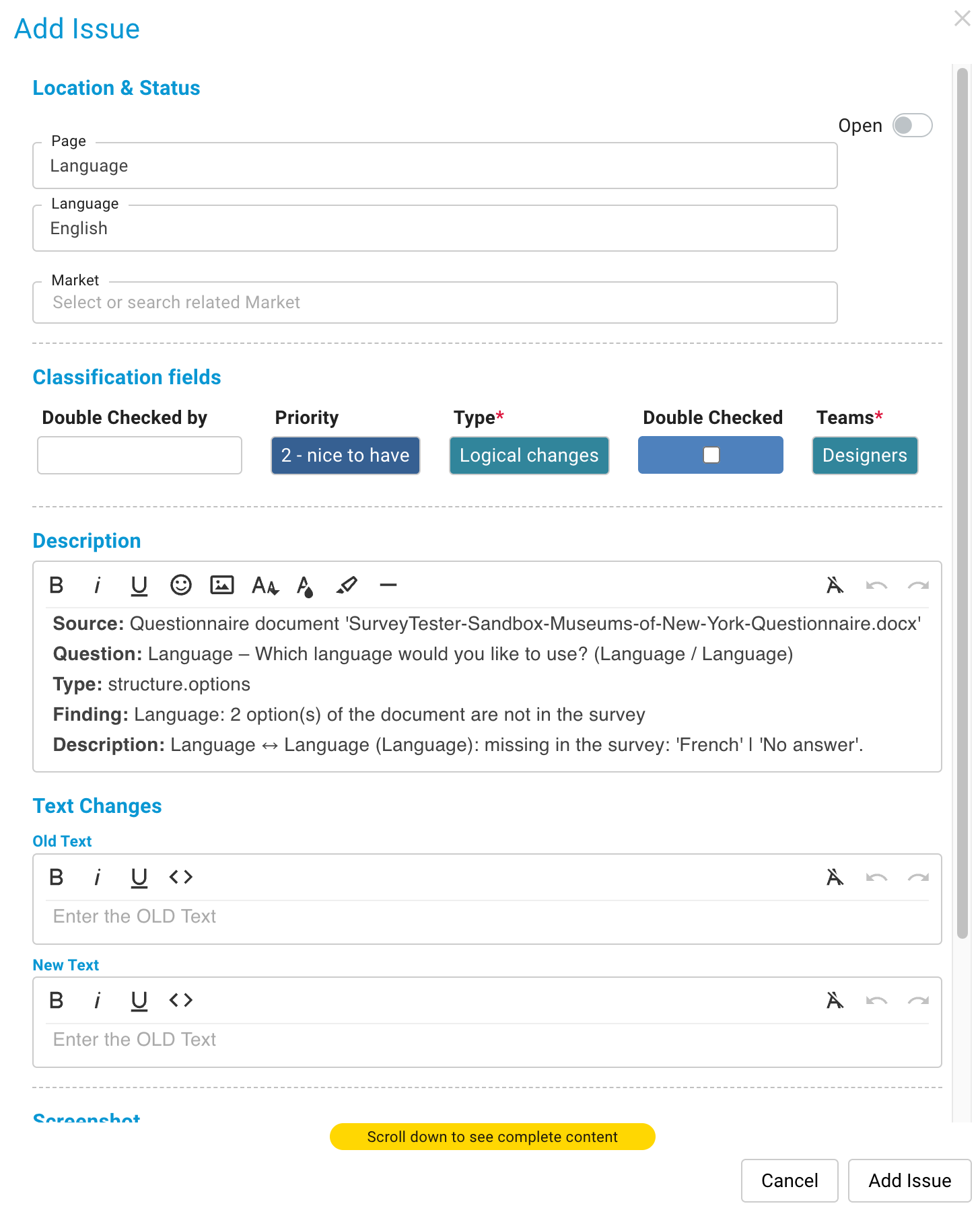
Testers report an issue right on the survey page and mark the problem on the screenshot. The survey author sees the exact answers that led there and replays the run with one click. Nobody types up reproduction steps, nobody hunts through email threads.
Project managers
Survey authors
QA teams
Translators
External testers
Your clients
Also on board: screenshots for iPhone and Android, an accessibility report for WCAG 2.1, EAA and Section 508, and exports to Excel and your QA formats.
Works with the platform you already use
Keep scripting where you script. SurveyTester detects the platform from the survey link. Missing yours? Tell us, we keep adding new ones.
How it works
From survey link to sign-off in three steps.
1
Paste the link. Add the questionnaire.
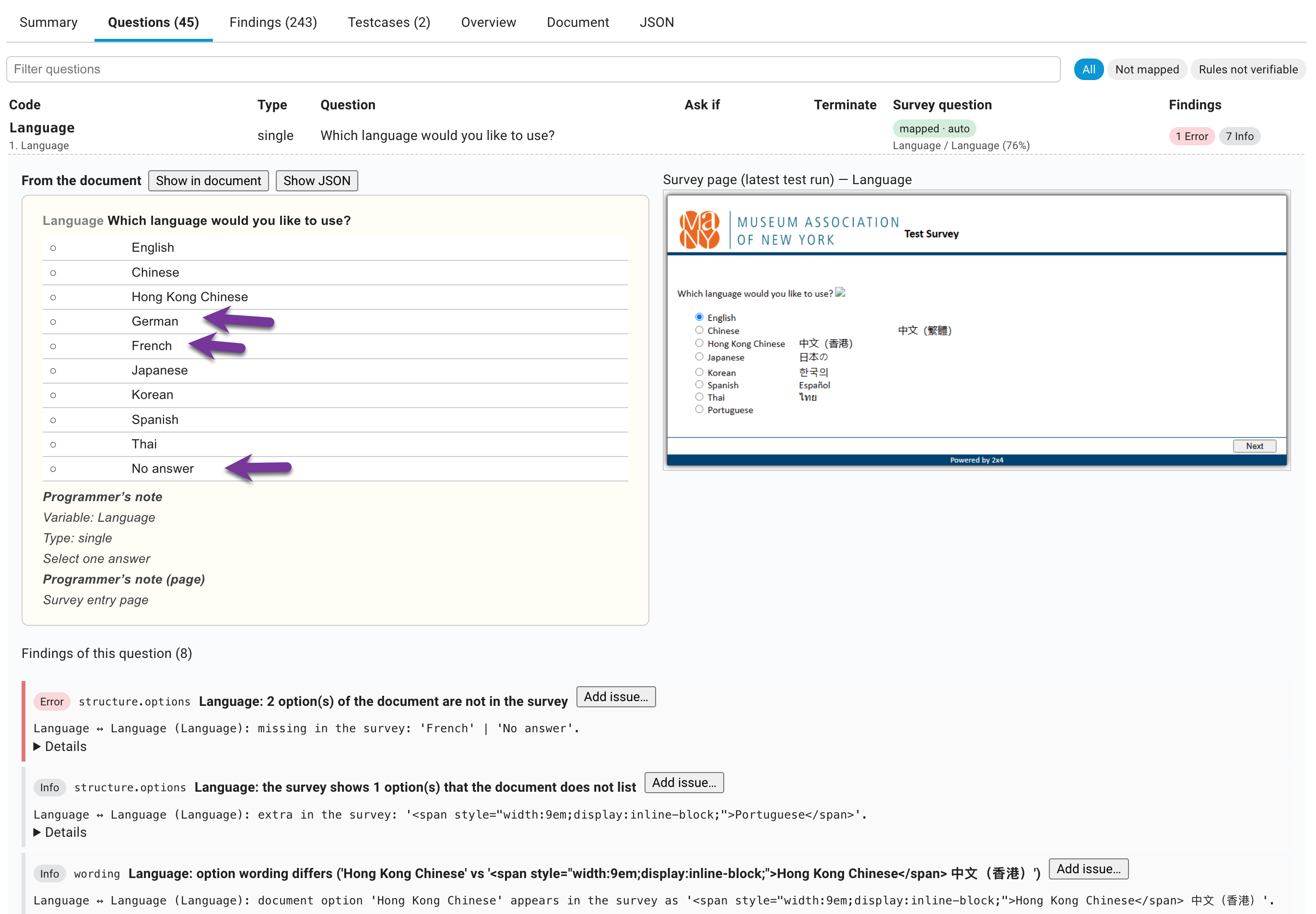
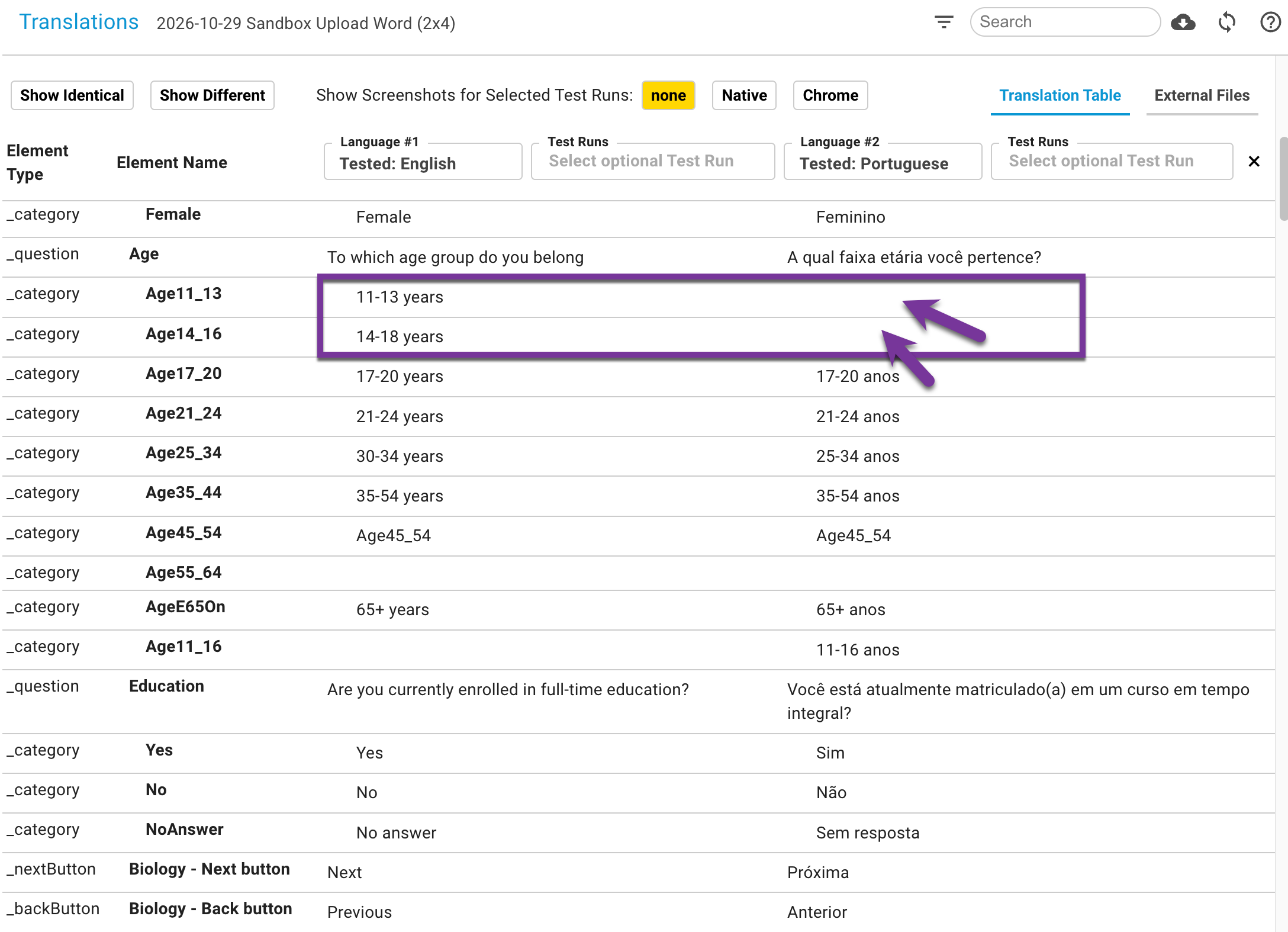
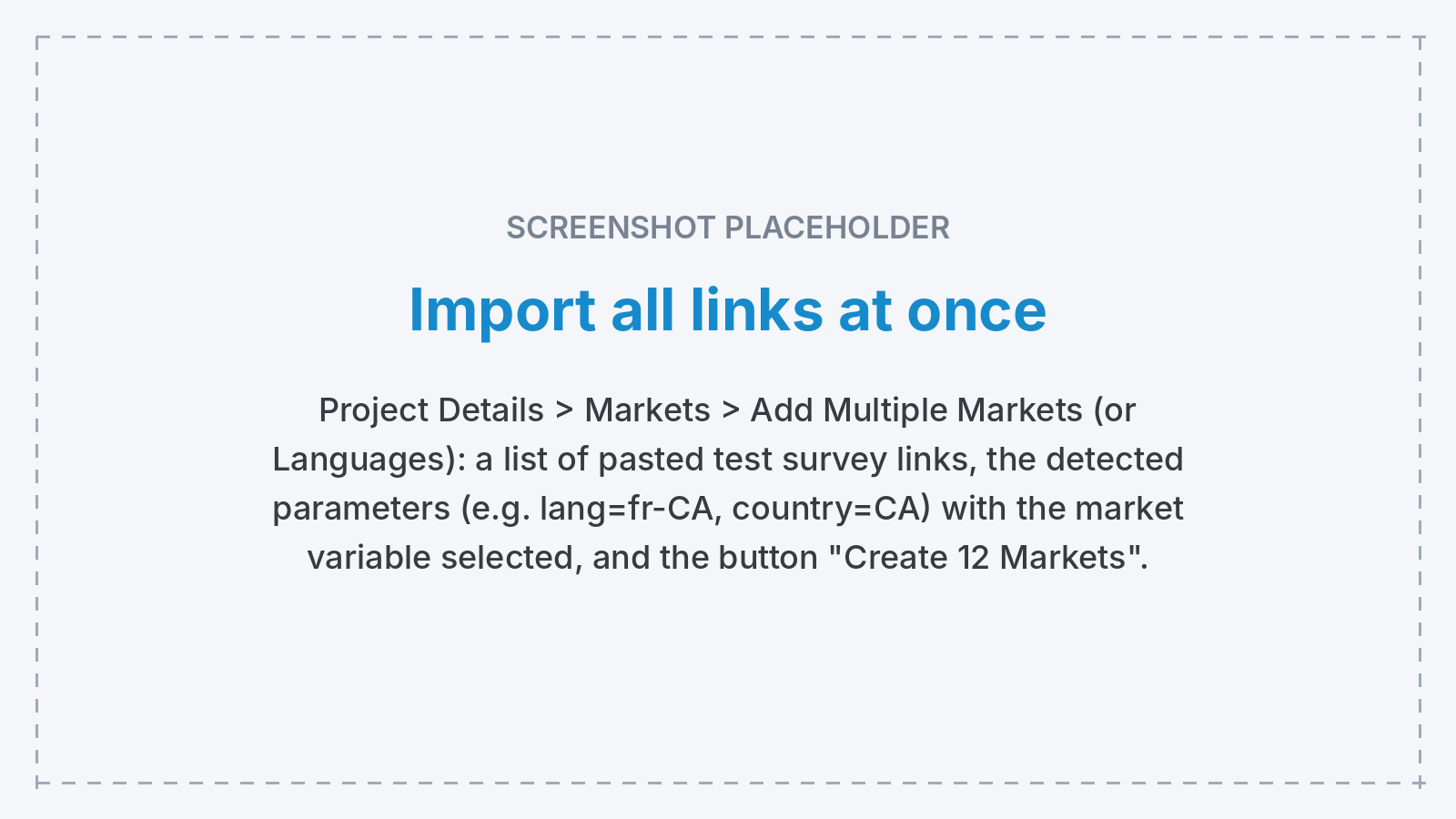
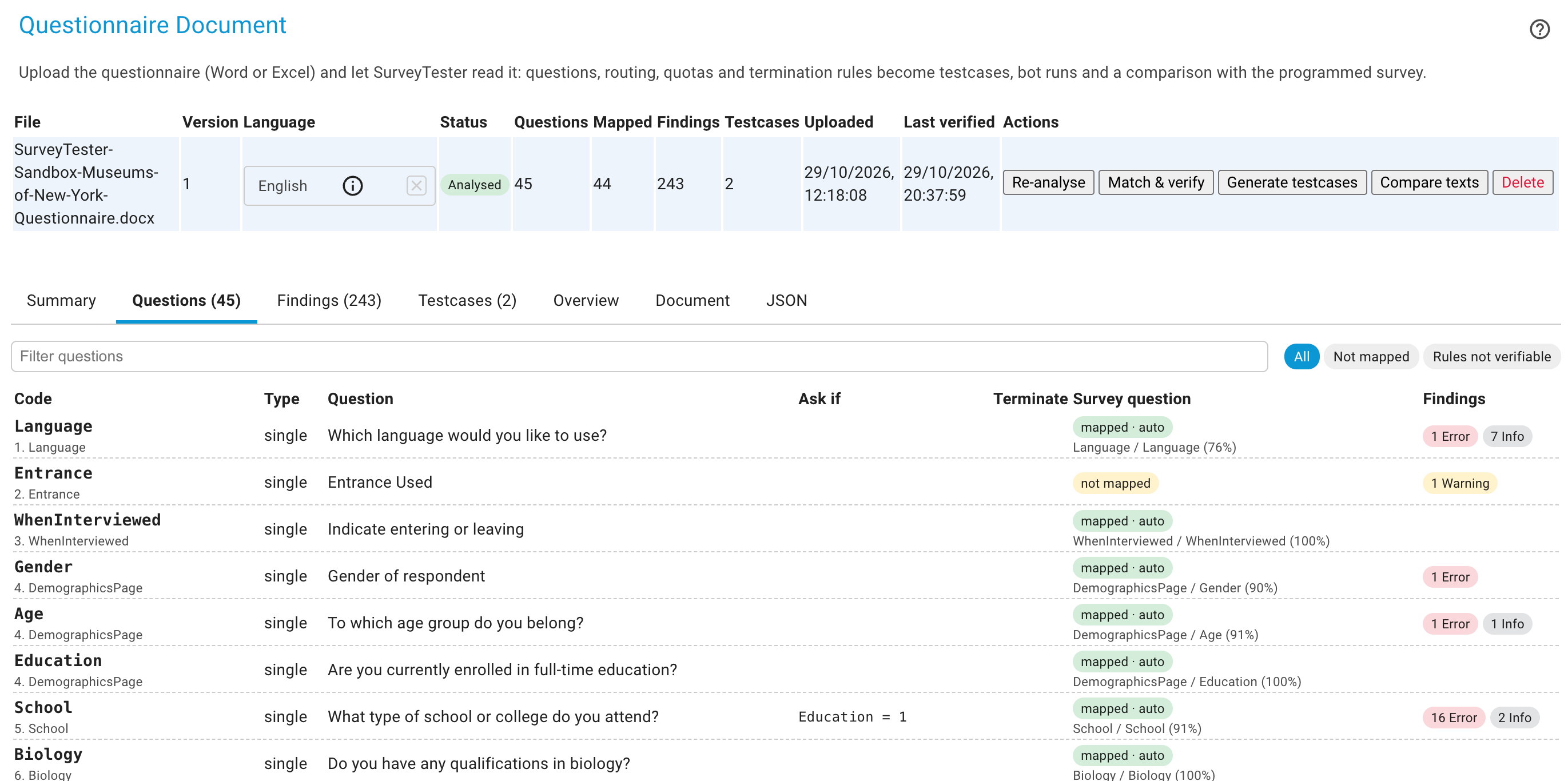
Paste the survey link, or all of them, one per language and market. SurveyTester detects the platform from the link. Upload the questionnaire and it builds the test cases for you.
2
Let the bots run.
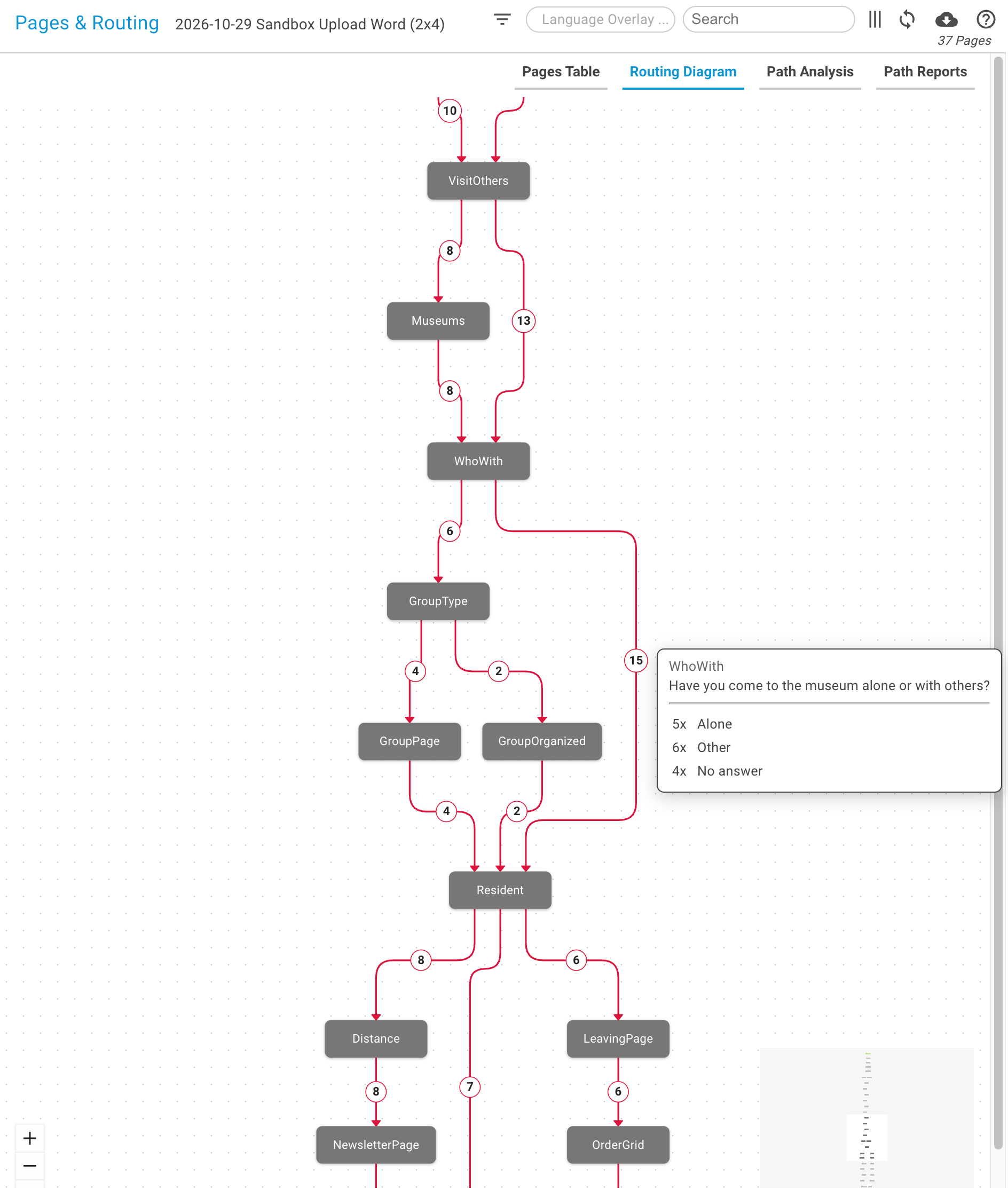
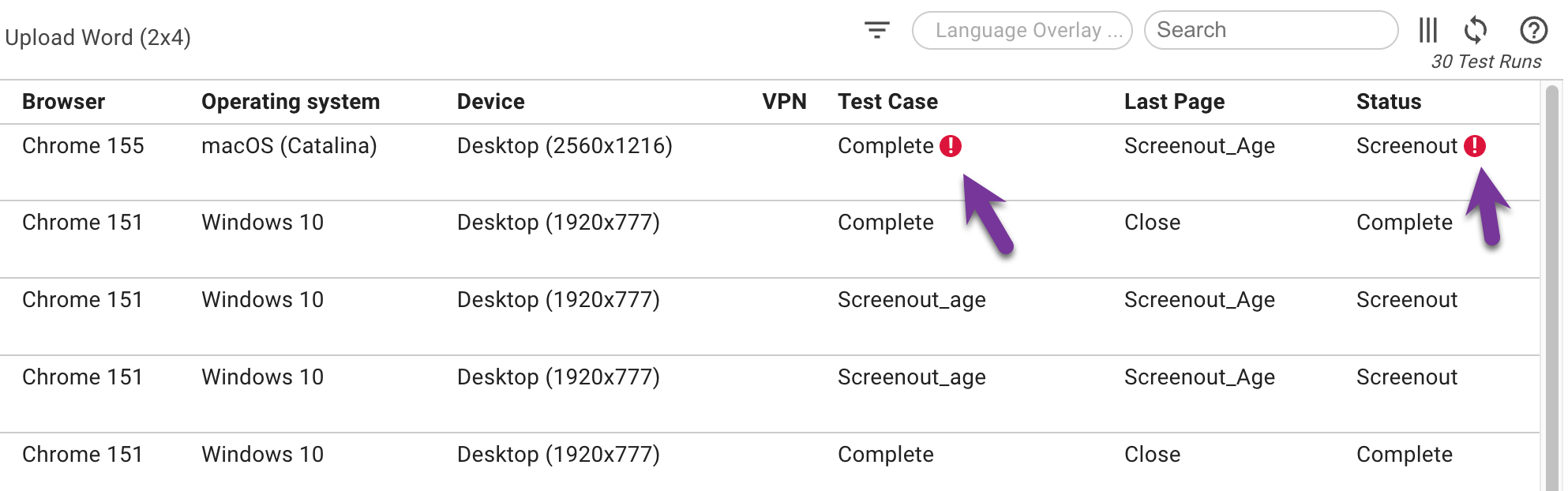
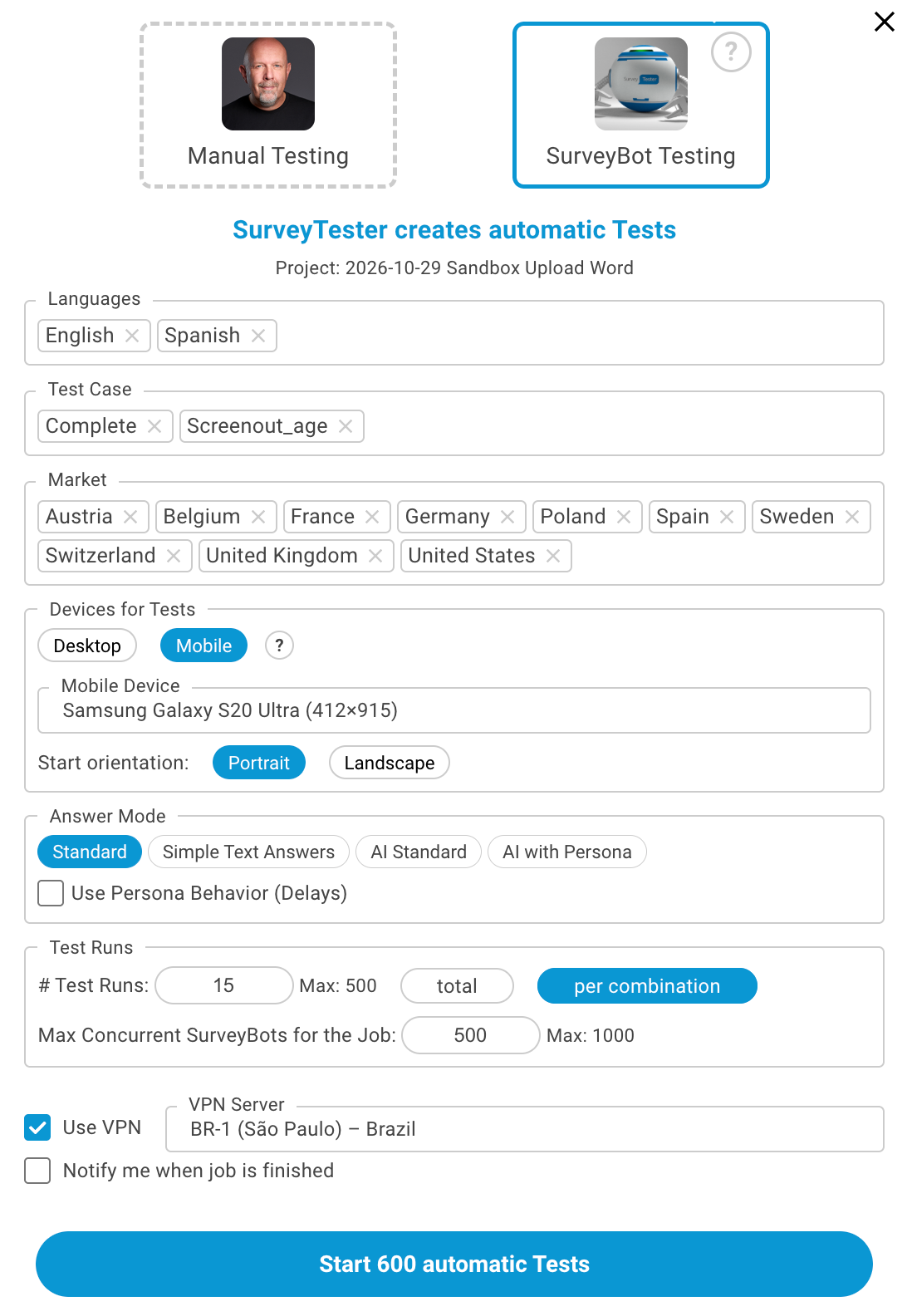
Choose how many interviews, on which devices, from which countries, and press start. Bots play every test case, capture every page and run 29 automatic checks on it. You get an email when they are done.
3
Review, fix, re-check, sign off.
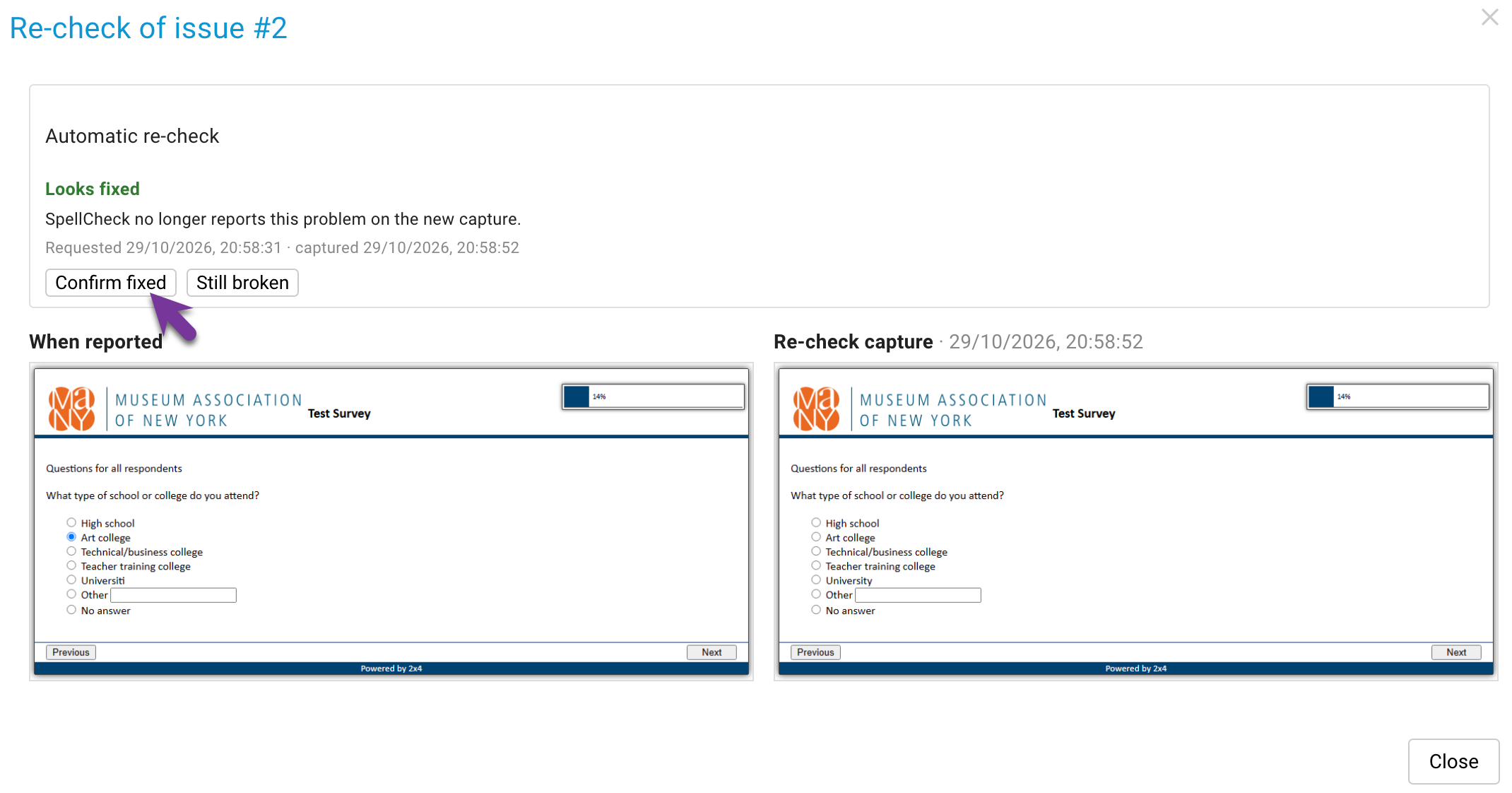
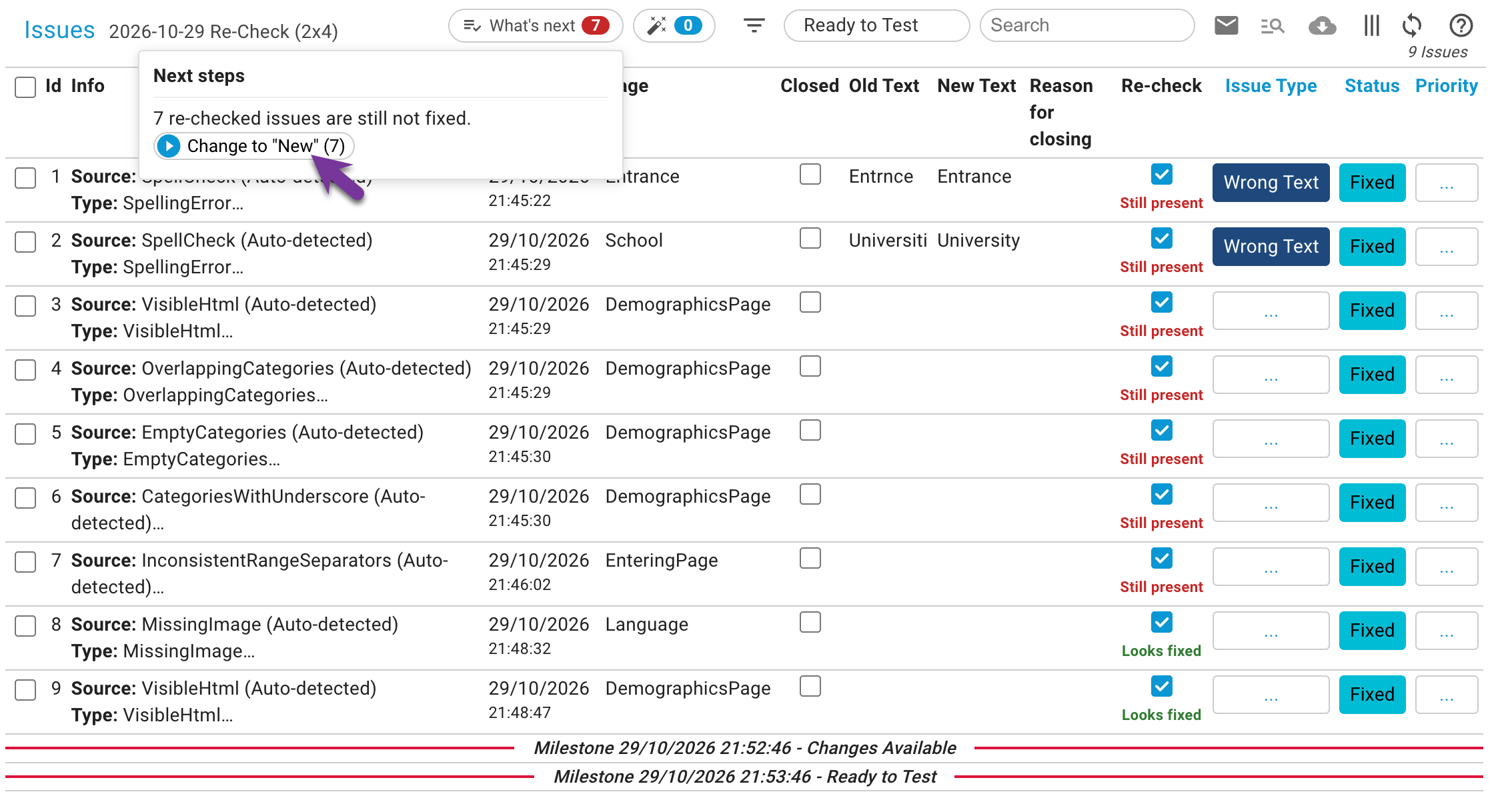
Findings arrive sorted by page. Turn one into an issue with a click, mark it on the screenshot and assign it. The scripter replays the exact run, fixes it, and SurveyTester re-checks before your team signs off.
Trusted by research teams who cannot afford a second fieldwork
“SurveyTester has saved our company hundreds of hours in testing time. It has so many great tools and features to ensure our surveys are top quality and will work across all devices and browsers.”
Will FenderBurke Inc.
“One of the real advantages of SurveyTester is that you can reproduce your test, so if you have found a bug and you want to go straight there you just click or reuse the test run and you have the same answers. … If you are testing a 30-minute interview and the bug is near the end, then that can be 30 minutes each time you test it just to get to that point.”
Rudi HirmkeTNS Infratest (now Kantar)
“In case I haven't made it clear to you already, on behalf of C+R, we can't thank you enough for all of the effort you've made to fine-tune SurveyTester for our usage.”
Todd EvistonC+R Research
Max and the Clickys
Every survey team has a Max. Short films about what goes wrong between scripting and fieldwork, each about 30 seconds, each with a page that shows how SurveyTester does it for real.
No. SurveyTester does not build surveys. It tests the surveys you already script in your own platform, through the same interface your respondents see.
Which survey platforms are supported?
Among others Forsta Surveys (Decipher), Forsta Plus (Confirmit), Qualtrics, UNICOM Intelligence (Dimensions), Askia, Nfield, Sawtooth, Voxco, LimeSurvey, SurveyMonkey, Alchemer, QuestionPro, IntelliSurvey and Tivian. The platform is detected from the survey link. Issue reporting, screenshots and many checks also work with platforms that are not on the list.
Do we have to write test cases?
No. Upload the questionnaire and SurveyTester builds them: one complete respondent per quota cell or routing branch and one screenout per termination rule. You can edit them or add your own in plain words.
Do we have to use AI?
No. AI can run on engines hosted by SurveyTester, on your own key or on an internal model, and it can be switched off for the whole company. Bots, screenshots and automatic checks work without it.
How is SurveyTester priced?
Per project. There is no limit on users or test runs within a project, and every plan includes all features. See pricing.
What is included in the free trial?
Everything, for 14 days. Start on a demo survey or paste your own link and invite your team.
Your next survey goes to field soon. Let it go tested.
Send us one survey and its questionnaire. We test it with SurveyTester and send you what we found.
Three ways to start. Pick the one that fits your week.
Some teams want to click around on their own. Some want a guide at their side. Some just want to know whether their survey is fine. All three are free, and none of them commits you to the others.
RecommendedGuided
Free Pilot
One of your real projects, set up and run together with a SurveyTester QA expert. Your team learns the tool on work that matters.